Thursday, December 5, 2013

Winter in Fish Creek

Oh how a theatre production cuts into photography time! Now that "Twelve Angry Jurors" has been up and down, I finally had a day for photography. Being December in Calgary, that meant a fresh dump of huge amounts of snow and frigid temperatures. Two days after our second major snow storm of the season (wait it isn't even Winter yet), the sun came out and the fresh smooth snow was too enticing a visual to resist even though the temperature was a brisk -16C.

iPhone 5 Selfie by the Footbridge

So I packed up the Nikon D7100, a fresh battery, clean media card and an 18-105mm Nikkor lens and braved the elements. I decided to revisit Fish Creek and get the same shot of the footbridge that I got back in September. The Mustang doesn't like the slick roads but the entrance to Fish Creek had been ploughed well. I parked the car as the only car in the lot and trudged through the deep snow to the creek. I followed deer tracks and they were the only disturbances in the fresh snow.
Snow Shadow - processed in B&W

Even though it was only 3pm the sun was very low on the horizon and I took advantage of the angle to get a "shadow selfie" in the snow.
Fish Creek Footbridge in Winter
Getting to the local I shot the footbridge in the Fall was a bit of a challenge as the rocks were covered in snow and ice. I went further down the creek and found a place where I wouldn't break through the ice. The water was still flowing briskly under the ice even at -16C! I shot the image above and used a coloured pencil process on the image using Alien Skin Snap Art 3.0.
Fish Creek Under Snow
The view down the creek in the other direction was quite amazing as well. The water is running in the foreground. It just can't be seen in the image as it was directly in front and below these trees with a four or five foot drop to the creek bed.
Midnapore Snowscape
There was plenty of snow covered scenery. This shot really cried out for a slightly sepia toned black and white treatment courtesy of OnOne Perfect Effects Black and White filters and a bit of tweaking in Lightroom.
Winter Sunset
On the way back to the car the sun was really declining in the south (hardly even west). The 18mm wide angle really enhances the long shadows in this sunset.


Tuesday, October 15, 2013

Fall in Fish Creek

A beautiful, sunny and bright, Fall day in Calgary. What better way to spend a Sunday afternoon than to walk through beautiful Fish Creek!
Winn in Fish Creek
Winn and I went out for a walk along the Fish Creek pathway near our home. The area around Fish Creek was devastated by the 2005 flood - not the 2013 flood, but the one in 2005. In 2013, the water in Fish Creek was high, but because it is not fed by waters in the Bow or Elbow rivers, it did not see huge water volumes.

However, in 2005, the two weeks of constant rain caused the entire area of Fish Creek Provincial Park to flood and receive incredible damage from erosion. The effects are still to be seen and while we were walking and I was taking photos, we came across work crews still shoring up the banks and putting in erosion protection.

I took a photo of some of their equipment:
Jaws
Further on upstream towards Shawnee Slopes, there were some gorgeous compositions with the winding creek.
Fish Creek
Looking back from upstream, I caught this lovely view of the Fish Creek Footbridge. I enhanced this image using some filters to give it a painterly effect.
Fish Creek Foot Bridge
One of the other beautiful things in the Sunday morning sunshine, was the effect of the sunlight pouring through our kitchen window and spreading out through the crystal prism hanging there, creating an interesting effect on our bannister.
Prism

Thursday, September 26, 2013

More From Mt. Rundle

Since I had literally taken hundreds of photos while I was in Banff/Canmore a couple of weeks ago, and I had found and processed the one photo of Mt. Rundle that I was looking for, I was revisiting the collection again the other day. It is an opportunity to look for other interesting angles and shots but also a chance to play with Lightroom. I was sorting my photos into collections and playing with the developer controls on the RAW camera images (NEF on Nikon). One of the controls lets you see what your photo looks like in black and white.

I played with one of the wide angle images I had taken and then brought it into Photoshop where I applied a combination of my OnOne filters to the image. Back in the late 70's you had to pay a premium for Ilford IR (Infra Red) film and the special processing for it. The results were worth the extra effort as IR film turns foliage and clouds into glowing soft white surreal landscapes and blue skies into deep, dark blacks and charcoal greys. With the OnOne filters you can add various amounts of IR and soft glow to recreate that spectacular IR effect on landscapes.

Mount Rundle in Ansel Adams Style
The resulting image above reminds me of the beautiful, creamy black and white contrasts of Ansel Adams' spectacular photos of the Yosemite. At least, it is inspired by his brilliant black and white images as an attempt to get close.


Ansel Adams - Yosemite

Making vs Taking Photos


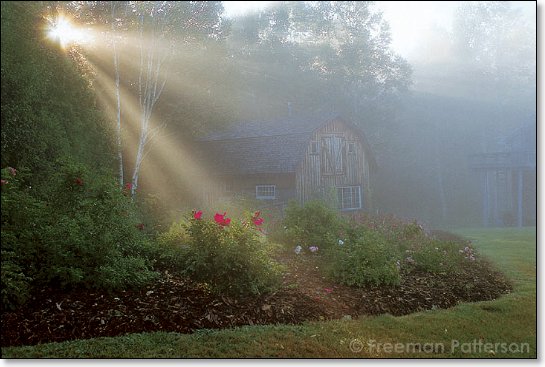
All of the steps in preparing digital images remind me of the lessons I learned in photography from the series of books by the great Canadian photographer Freeman Patterson. The one book "Photography and the Art of Seeing" was inspirational to me to the point that I've used Freeman's philosophy of "seeing" in both my designs and my teaching over the years. 

In his first instructional photography book "Photography for the Joy of It", Freeman discusses the difference between taking photos and making them. This distinction is highly instructive of the mental process involved in either taking an ordinary "snapshot" and creating an image that has depth, meaning and artistry. 

I was thinking of this distinction while I was going through the process of sorting through hundreds of images in Lightroom. Even though Freeman urges his students to think through an image and "make" the photograph rather than simply "take" it while you're holding the camera, the end process in the digital darkroom has the same thought process. You are constantly questioning various images. As you apply various effects and techniques, you are literally making the photo; creating your final vision.

Saturday, September 14, 2013

Banff / Canmore Field Trip

Trip to the Rocky Mountains

As I said in the previous blog, I have given myself one day a week for photography/design assignments. This last Monday September 9, I took a day trip to Canmore and Banff. My ultimate goal for the day was to get a "classic" photo of Mt. Rundle with Vermillion Lake in the foreground. There are hundreds, if not thousands of such photos as Rundle is probably one of the most photographed mountains on the planet. However, I wanted MY version!

I started by doing some Google Maps research to plan my day. Google Maps is a marvellous research tool for planning photo tours. With the street view, you can "scope out" photo locations in advance. In addition, Google Maps has little rectangles on the detailed maps where people have taken photos and uploaded them for inclusion on the map in this location. Of course, this will not help with remote locations, but for finding the location of the classic view of Mt. Rundle, it was invaluable.


Rundle was my final destination of the day because I wanted the light to be on the western slope of the mountain which meant taking the photo in the afternoon. I decided to spend the morning in and around Canmore in the area of "Goat Pond". Having "travelled" virtually down the Google highway, I found some interesting photographic areas to explore. 

My New Photographic Equipment

This seems like a good moment to detail my new photography kit. I had sold the previous kit in the mid '90's when digital cameras first came out. I had little time for photography in any event and the lightweight digital cameras were easier to take the kind of photos I was taking at the time; theatre production photos.
I selected the Nikon D7100 and purchased it as a kit with an 18-105mm Nikon zoom lens and a 70-300mm Nikon zoom lens. I added skylight filters as lens protectors and a polarizing filter to enhance skies and kill glare in reflected surfaces. I also added a wireless device that connects to the iPhone to use the iPhone as a remote through the lens viewer and shutter trigger. 

The D7100 has M, S and A (Manual, Shutter and Aperture) priority modes not unlike my old Minolta XD-11. It has extra modes for effects, full auto and full auto without flash. The plethora of settings is truly bewildering but with the aid of D7100 for Dummies

I have mostly figured out how to operate the thing. In S and A modes (my most used) it is rather simple to dial in the shutter speed or aperture I want and then let the camera deal with the other.
Exposure control is rather complicated but once I figured out "spot" mode, it is easy to put the spot where I want the exposure read, lock it in and shoot. The same goes for auto focus. Spot mode allows me to centre the reticle on the part of the frame I wish to focus and let the camera do its thing.

The camera allows the saving of images to JPG and RAW formats; either or both. The RAW format is not an image until it is processed through software. This is the format that most serious digital photographers use to have the most control over the final image. The RAW file is simply digital data. The JPG format creates an image by interpolating the data and assigning colour and brightness values, in addition to compressing the image to make the file smaller. I have a large enough SD card in the camera to allow for saving images in both JPG and RAW format. That way I get to preview the image on the camera as well as have full control over it once downloaded to the computer.

Trip to Canmore and Goat Pond


I followed my iPhone's Google Map to Canmore and the road up to Goat Pond. I discovered the road that leads to that pond was closed. So I parked nearby and walked to a small pond that was closer to the road. I was able to get to the water's edge.
Spray Lakes Trail
Although the polarizing filter captured the deep blue sky, I enhanced the photo in Photoshop CS6 using a series of filters from the OnOne Perfect Photo Suite 7. I created a slight glow and added a very subtle graduated filter to give the sky just above the mountain a rosy cast. The photo was finished with a couple of framing "actions" that give the blurred matte and the black frame.

From here I drove back around the pond and found a small tourist area with a small mountain pond and a large field. There were lots of people there but I wandered off into the fields above Canmore to see what I could find. In this field I shot a "selfie" of me "Outstanding in my Field"!
Outstanding in My Field!
After shooting 100 or so photos in the field, took the three minute drive into the town of Canmore and had some lunch. How great is that? You can be in the mountain wilderness, by a pristine mountain lake one moment and then three minutes later having a Teen Burger! 

Once I had finished my hamburger, the drive into Banff was only another fifteen minutes. I found the small road that rings Vermillion Lake and pulled off to walk the perimeter of the lake. There is a dock built just for photographers that juts out into the lake a bit and there were a number of tourists taking photos. The water in the lake was low and I ventured out into the reeds and walked along the bank away from the dock to get the best angle I could of the lake and the mountain. There were a number of clouds and the area was shrouded in a bit of a haze so the light on the mountain was not quite right. I took a number of shots while I waited for the blue sky to the west to arrive. Just at the the moment the light broke through and illuminated the west slope of Rundle, I took a number of shots with various exposures, over and under and various shutter speeds and apertures. 
Mount Rundle and Vermillion Lake

Once I got home, I ran all my 100's of images through Adobe Lightroom and picked out a number of favourites. The one above was the best of them and I processed it in Photoshop using a variety of filters to bring out the blue sky, the contrasting white clouds and enhance the green of the trees. This is the shot around which I had planned the entire day!


Friday, September 13, 2013

Photography Revival

Photography Journal

I am devoting at least one day a week to design/photography this year. I am currently designing the scenery and lighting for the MRU production "Twelve Angry Jurors" which I will blog about on my design blog site.

Photography Revival

Here I wish to journal the revival of my creative passion of photography which began while I was an undergrad at Brock University in the late '70's. At that time, I was completing my degree in film, working as a cab driver and as a foundry worker (fork lift and crane operator on the "steel gang" at Thompson Products - TRW, St. Catharines). I used some of the money I was making to purchase my first SLR camera equipment.

Photography Tools 1978

The first camera I purchased was a totally manual Minolta SRT 101. It was as classic a camera as the Pentax Spotmatic.
Minolta SRT 101
It came with a standard 50mm prime lens. I quickly added a 200mm telephoto to the kit and, within a two months, outgrew the basic camera. I traded it in for a Minolta XD-11.
Minolta XD-11
I loved this camera and owned it until I sold it in 1995. I only recently discovered what a ground breaking camera this was. It was the first production 35mm SLR camera that had computer assisted exposure controls. The camera had three main settings; M, S and A, for Manual, Shutter Priority and Aperture priority. This is standard on modern cameras but was brand new in 1978. In the S and A modes, you set the shutter speed or the Aperture and the camera would set the aperture and shutter speed respectively.

I added a 24mm wide angle lens, a flash kit and an autowinder to my photo equipment kit. While I was "working" on the steel gang, I would spend the hours waiting to fill the machines with steel by reading about photography. I spend my days off tasking myself with photo "assignments" and experimenting with black and white and colour slide photography.

In B&W I experimented with very slow films like Kodak Panatomic-X or very fast films like Kodak Tri-X 400. Ilford B&W films were another favourite. I did not do my own processing as I didn't have a dark room but I would take my film to the drug store down the street (Potter and Shaw) that had an excellent photo processing department which would accept special orders and special processing requests (please over expose frame 10 by one stop, or crop all of right side for 8x10).

My 1978 Photos

My favourite colour film was Kodak Kodachrome 64. I note that Kodak just discontinued this film stock last year. The end of an era. There is no colour film or process like Kodak Kodachrome 64. That film stock, when processed, created a 35mm slide colour positive which colours unmatched by an process today. Making prints from colour positive slides was another special process called "Cibachrome". Cibachrome prints were distinguished by the black (rather than white) border around the print. The blacks were especially deep and the colours incredibly rich and creamy.
Sunrise in Muskoka
The photo above was taken with the Minolta XD-11 in the summer of 1978 off the dock of my parent's cottage in Baysville, Ontario; the heart of Muskoka country. My Dad would always fish early in the morning. I'm not and never have been an early riser. He woke me up this particular morning because of the spectacular sunrise. He told me to get my camera quick if I wanted to capture it. I had my camera already on a tripod and captured this image. Of course I ran off an entire 24 roll of Kodachrome 64, bracketing and trying different compositions. This one captures more than just the beauty of the sky that morning. It captures and evokes the great times at that cottage and how much I appreciated having such a wonderful Dad that he cared enough about what I cared about and also saw this awesome spectacle. I always think he enjoyed the peace and quiet of being on that lake and the serene beauty of the landscape as much as catching those fish.
Dad and Me with Fish
Wagon Wheel
The image above was captured with the 24mm Rokkor lens. Amazing colour and amazing detail and depth of field. This wagon wheel marked the entrance to our Muskoka cottage.
Phone Booth
I was fascinated with frame composition and patterns. This phone booth was just 100' away from my apartment in a parking lot. I passed it every day on my way to the bus. The large field of red with the phone booth offset made an interesting composition.
Branch
As I began to experiment with depth of field, I purchased a macro lens to capture small close up images with blurry backgrounds for their contrast and abstract field of colour patterns.
Wall
I would look for colour and composition patterns in ordinary places, like this old doorway found in a pathway under St. Paul St. St. Catharines. I had the above images (not the one with the fish) displayed as part of an art photography show at Rodman Hall Art Gallery in St. Catharines.

Old and New Processes and Experiences in Photography

Although the principles of photography are the same in 2013 as they were in 1978, I'm finding the differences in the experience fascinating. In 1978, you would get a number of rolls of film, load your camera and go out in search of images. What you saw through the lens and what you produced as a final image had a totally different path and experience. I would see in my mind how I wanted the image to come out. It was a process of waiting for the film to be processed (Kodachrome always took longer because it had to be sent out).

Once the slides were received, the process was sorting through the images on a light table and marking them with coloured felt markers for reject, fair, good. Once the best image was selected, I would have to decide how it would be printed. Printed from the 35mm aspect ratio to a 5x7, 8x10, 11x14 or larger format would require a crop. I would make notes on how I wanted the image cropped and give that to the developer. Then the process of waiting for the Cibachrome process began because that had to be sent away too!

With today's DSLR cameras, you can see the image immediately. However finding the right image different. Although Adobe Lightroom is similar to the old light table, it is an entirely different experience. Where I would shoot many frames with film, I would rarely take more than a few rolls of film at a time, say, 100 images at most. Digital media can take hundreds of images! Looking for the right image is a whole new ballgame.

In addition, there is the image WITHIN the image experience. The image dimensions so huge and the image detail so fine that once you have an image captured you can discover whole new worlds of images by zooming into the digital file and processing the image with Lightroom and Photoshop.
Fountain
The image above was created from a very much wider image capture. This is a small detail of a photo of a water fountain in our backyard. The detail of the sunlight swirling in the falling water droplets is not something I could even perceive while taking the photograph. However while viewing the image in Photoshop, I was fascinated with the movement of water and light.
Kitchen Chair
This image of a chair in our kitchen shows how processing the digital image is a whole new realm of creative exploration for the digital photographer. The wood grain, warm colour of the wood, cool colour of the reflected sky, and even the rainbow from Winn's window crystal are enhanced using digital processing in Lightroom and special plugins and filters in Photoshop. The difference from the original captured image to this image is truly amazing.
Hay Bales Near Priddis AB

The image above was taken near Priddis, AB off highway 22x. I processed the image in Photoshop with the Alien Skin Snap Art 3.0 plug in which has various settings that can be adjusted to get painting and sketch effects.